Features
Start with Your Suno Download
Open your track in Suno, download the audio from the three-dot menu, and drop the file here. Any Suno audio download works, and so do files from other AI tools.
Melody and Chords on a Staff
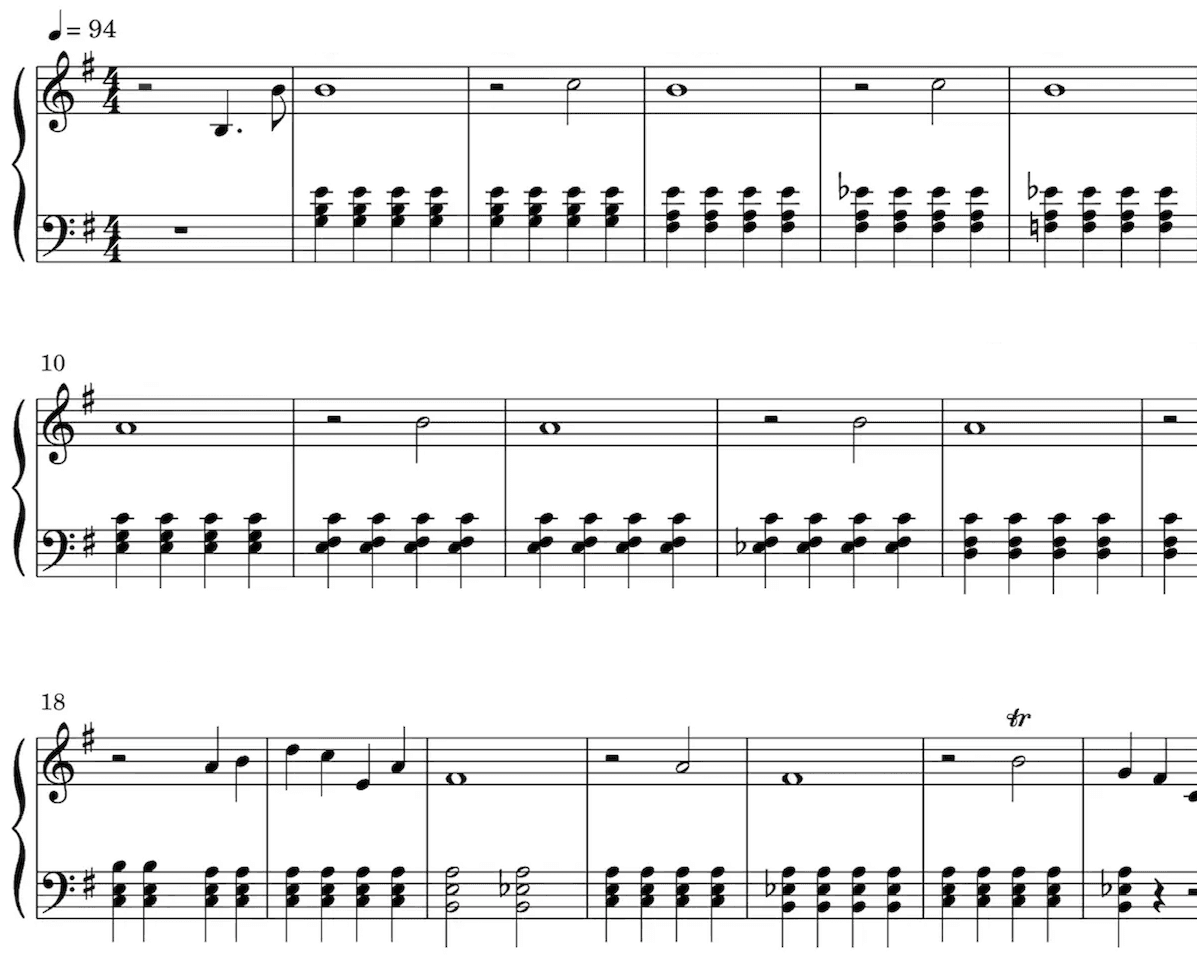
We isolate the line you pick, detect the pitch and rhythm, and write it as standard notation with chord symbols above the staff, the way a musician reads a song.
Editable, and Yours to Export
Review it against the recording, fix any note in the browser, then export to PDF to print or MusicXML to keep editing in MuseScore, Sibelius, or Dorico.
Example Transcriptions
Click on the cards to see Songscription in action.
See the output
Sheet Music
Our AI technology picks out the notes from your audio and intelligently notates them on a musical staff, automatically detecting a wide range of musical features including time and key signature, trills, staccato, and other expressive markings.
Sheet music is especially valuable for classically trained musicians, music students, music teachers, and composers.
Playback the score to hear the transcription.
Speed it up or slow it down to your liking.
Edit the transcription.
Loved by musicians worldwide
Join thousands of musicians who have transformed their creative process with Songscription
"There are so many songs I've wanted to play but could never find the sheet music for. Songscription finally solves that problem; now I can just run the audio through and start playing."

Tomer
"I've composed a song that has lived in my heart for years - a deeply personal piece that I've never been able to share properly. Thanks to Songscription, I've finally translated it into sheet music. Now my composition can be performed and appreciated beyond just my own playing - a dream I've had since I first wrote those notes."

Tony
"There are so many songs I've written throughout my life that I hold in my hands but have never been able to pass on. Songscription opened a new door. For the first time, I have a lasting time capsule of my song that anyone, anywhere, can play, now and far into the future."

"I create at the piano, and Songscription cleans up my mess into real sheet music."

Jeff

"Songscription has helped me transcribe my own live recordings, transforming a mundane & time-consuming task into something that has saved me countless hours."

Yameen Sekandari
As seen in...
Frequently Asked Questions
More questions? Contact us
Does Suno export sheet music?
No. Suno generates a finished audio recording, not notation, and there is no button in Suno for a score, a lead sheet, or a PDF. To get readable sheet music, you download the Suno audio and run it through a transcription tool like Songscription, which writes the melody and chords out as standard notation.
How do I turn a Suno song into sheet music?
Download the song from Suno using the three-dot menu, upload the audio file here, and pick your instrument. In a couple of minutes you get the melody in notation with chord symbols, which you can review, edit, and export to PDF or MusicXML.
How accurate is transcription for a Suno track?
The melody and chords come back reliably. A fully produced Suno track is denser than a single-instrument recording, so a quick review and a few edits give the best result. That is why you get an editable file rather than a locked PDF.
Can I get a piano arrangement instead of a melody line?
Yes. Alongside the melody-and-chords transcription, you can generate a piano arrangement with both hands. A full arrangement of a dense mix takes a little more cleanup than a single melody line, so pick the output that matches how you plan to play the song.
Can I edit the sheet music after transcribing?
Yes. Every transcription is editable in the browser, so you can correct a note or adjust a chord before exporting. You can also download MusicXML and keep working in MuseScore, Sibelius, Dorico, or any notation software you already use.