Features
Say it in plain words
Write the change the way you would say it to a friend at the piano, like fixing a wrong note or adding lyrics, and Annie edits the score. No menus to hunt through.
You stay in charge
Every change lands on the page where you can see it and play it back. If it isn’t what you meant, undo it and ask again with different wording.
Manual tools right beside her
The regular editor is always there: fix pitches, move or delete notes, reassign notes between hands, adjust timing, add lyrics, transpose, and re-export whenever you like.
Example transcriptions
Click on the cards to see Songscription in action.
The score Annie works on
Sheet music
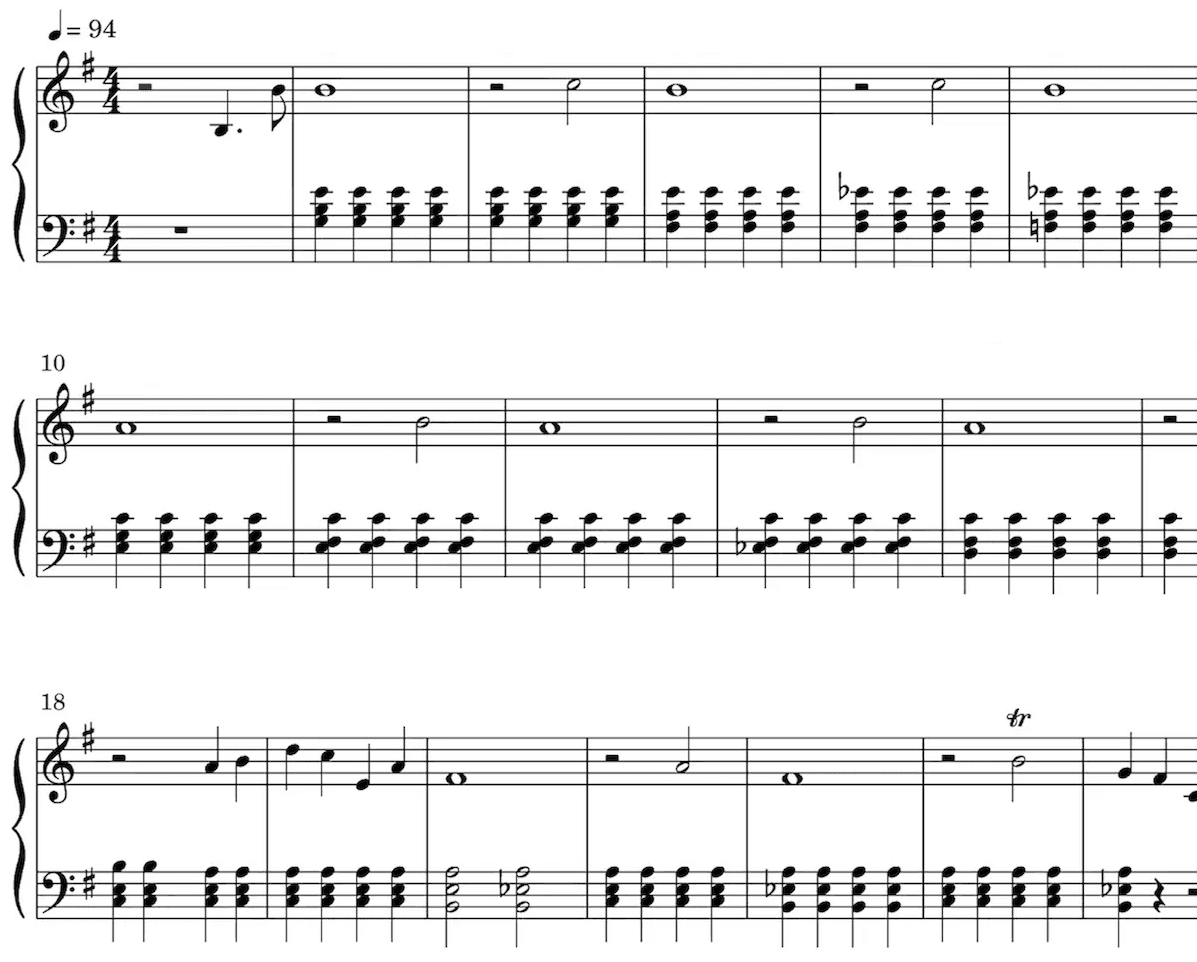
Our AI technology picks out the notes from your audio and intelligently notates them on a musical staff, automatically detecting a wide range of musical features including time and key signature, trills, staccato, and other expressive markings.
Sheet music is especially valuable for classically trained musicians, music students, music teachers, and composers.
Playback the score to hear the transcription.
Speed it up or slow it down to your liking.
Edit the transcription.
Loved by musicians worldwide
Join thousands of musicians who have transformed their creative process with Songscription
There are so many songs I’ve wanted to play but could never find the sheet music for. Songscription finally solves that problem; now I can just run the audio through and start playing.
Tomer
Guitar · Piano · Indie · Folk · Acoustic pop
I’ve composed a song that has lived in my heart for years - a deeply personal piece that I’ve never been able to share properly. Thanks to Songscription, I’ve finally translated it into sheet music. Now my composition can be performed and appreciated beyond just my own playing - a dream I’ve had since I first wrote those notes.

Tony
Piano · Pop
There are so many songs I’ve written throughout my life that I hold in my hands but have never been able to pass on. Songscription opened a new door. For the first time, I have a lasting time capsule of my song that anyone, anywhere, can play, now and far into the future.

I create at the piano, and Songscription cleans up my mess into real sheet music.

Jeff
Piano · Guitar · Indie rock · Acoustic folk · Classical

Songscription has helped me transcribe my own live recordings, transforming a mundane & time-consuming task into something that has saved me countless hours.

Yameen Sekandari
Piano · Original compositions
As seen in…
Frequently asked questions
What is an AI sheet music editor?
What is an AI sheet music editor?
It is a notation editor where you describe a change in words and an assistant applies it to the score. In Songscription that assistant is Annie. She works inside the same editor where you can also change notes by hand, and you can undo any edit she makes.
Is Annie available on a free account?
Is Annie available on a free account?
Yes. Annie is available to every signed-in Songscription account, free accounts included. Create an account, open any transcription in the editor, and the assistant is there.
Can Annie write music for me?
Can Annie write music for me?
Yes. Annie can write new music into your score, such as an intro, a countermelody, or a new harmony. She also changes what’s already there, like fixing a wrong note or adding lyrics. Always look over her changes before you export.
Which scores can I edit with Annie?
Which scores can I edit with Annie?
Any score in your Songscription account: a transcription of an uploaded audio or video file, a YouTube, TikTok or Instagram link, or a browser recording; a score scanned from a PDF or a photo of printed sheet music; and MIDI and MusicXML files you import.
Can I try the editor for free?
Can I try the editor for free?
Yes. You can transcribe free 30-second clips, with a free trial for longer ones. Paid plans give you more transcription time and support for longer files.
How does editing sheet music with AI work?
How does editing sheet music with AI work?
You type the change you want and Annie makes it on the score. Then you look at it, listen to it, and keep it or undo it. It feels more like asking a helper than digging through toolbars.
- Get a score into the editor. Transcribe a recording, paste a link, or import a MIDI or MusicXML file. Every result opens in the editor.
- Describe the change. Open Annie and write what you want in ordinary words, such as asking her to correct a note that sounds off or to put lyrics under the melody.
- Check it, then carry on. Read the edit on the page and play it back. If it missed, undo it and rephrase, or switch to the manual tools for fine detail.
- Export when it reads right. Download a PDF, MIDI or MusicXML file, or come back later and export again after more changes.
What kinds of changes can I ask Annie for?
What kinds of changes can I ask Annie for?
Annie can change the music already in your score and write new music into it, such as an intro or a countermelody. She makes each change directly on the notation, so you can judge it straight away.
Name the bars and the part you mean. For something bigger, ask for one section at a time and listen to each result. Our article on whether AI can edit sheet music sets out what to expect.
- Fix a note that came out at the wrong pitch
- Move a passage to where it belongs
- Add lyrics under a melody line
- Step back through the undo history whenever an edit is not what you wanted
When should I ask Annie and when should I edit by hand?
When should I ask Annie and when should I edit by hand?
Ask Annie when saying the change is quicker than clicking it, and use the manual tools when you want exact control over one note. Most people mix both in the same session.
| Task | With Annie | By hand |
|---|---|---|
| One note at the wrong pitch | Describe the note and the fix you want | Select the note and change its pitch |
| Lyrics under the melody | Ask her to add the lyrics | Type the words in yourself |
| A passage in the wrong place | Say where it should go | Select the notes and move them |
| A note in the wrong hand | Usually quicker by hand | Reassign it between left and right hand |
| The whole song in a new key | Usually quicker by hand | Transpose the score in one step |
Why would a transcription need editing at all?
Why would a transcription need editing at all?
Because no transcription is perfect. A crowded mix, a fast run or a long sustained chord can leave a note or two that doesn’t match what you hear, and fixing those quickly is what turns a draft into a chart you trust.
Our guide to fixing AI transcription errors lists the usual suspects, and editing sheet music after you make it walks through the manual tools step by step. Starting from an idea rather than a recording? The sheet music maker is the place to begin.
Do my edits carry over when I export?
Do my edits carry over when I export?
Yes. Edits from Annie and from the manual tools become part of the score, so the PDF, the score MIDI and the MusicXML file you download all include them.
The one exception is the raw transcription MIDI. It keeps the original unquantized performance with its free timing and velocities, so score edits are not applied to it. Pick the score MIDI when you want your corrections in the file.
More questions?
Contact usTry it on your own song
Free to start.